Skip to content
SHIFTSCAN
swipe to navigate
Home

One Scan. Clocked In.

Field-Ready. Office-Approved.

QR clock-in, offline sync, role-based timesheets — all in one app.

Built for teams who need
Sound Familiar?

Time tracking shouldn't be this hard.

Hours don't add up. Payroll takes forever. Field workers have no connectivity. Managers can't see who's working where. Flip the cards to see how Shift Scan solves it.

Paper timesheets bleed hours

Manual entry, lost sheets, and correction rounds eat admin time every week.

One scan. Instantly logged.

QR clock-in is timestamped, GPS-tagged, and synced the moment it happens.

Unverified timesheets cost you

Hours filled out after the fact mean wrong jobsites, inflated time, and billing errors.

GPS-verified, every punch.

GPS is captured at every punch. Geofencing enforcement is optional per employer.

Remote sites mean pen and paper

No signal means relying on memory or handwritten notes to reconstruct the day later.

Works offline. Syncs later.

All timekeeping and logging works without signal. Everything syncs when you reconnect.

Payroll corrections eat your week

Hunting bad punches and re-keying data burns hours every pay period.

One-click payroll export.

Every punch queues automatically. Approve once, export to payroll instantly.

You're flying blind on every site

Who's on the clock? At which site? Right now, you genuinely don't know.

Every site. Live. Right now.

See who's clocked in, where they are, and what they're working on ” every site, live.

Forgotten punch-outs inflate payroll

Open entries pile up silently and add ghost hours no one catches until payday.

Clock out or you can't clock in.

One active timesheet at a time ” forget to clock out and you can't clock in tomorrow.

For Workers

Clock In Anywhere, Anytime

Scan a QR code or tap to clock in — no internet required. Submit timesheets and switch between jobs effortlessly, all offline.

QR Clock-In/Out

Workers tap or scan QR codes to clock in instantly

Role-Based Interface

Customized UI based on worker role and permissions

Offline Capability

Clock-ins and timesheets work everywhere, sync automatically

Job Site Switching

Change jobs mid-shift, take breaks, submit timesheets without paperwork
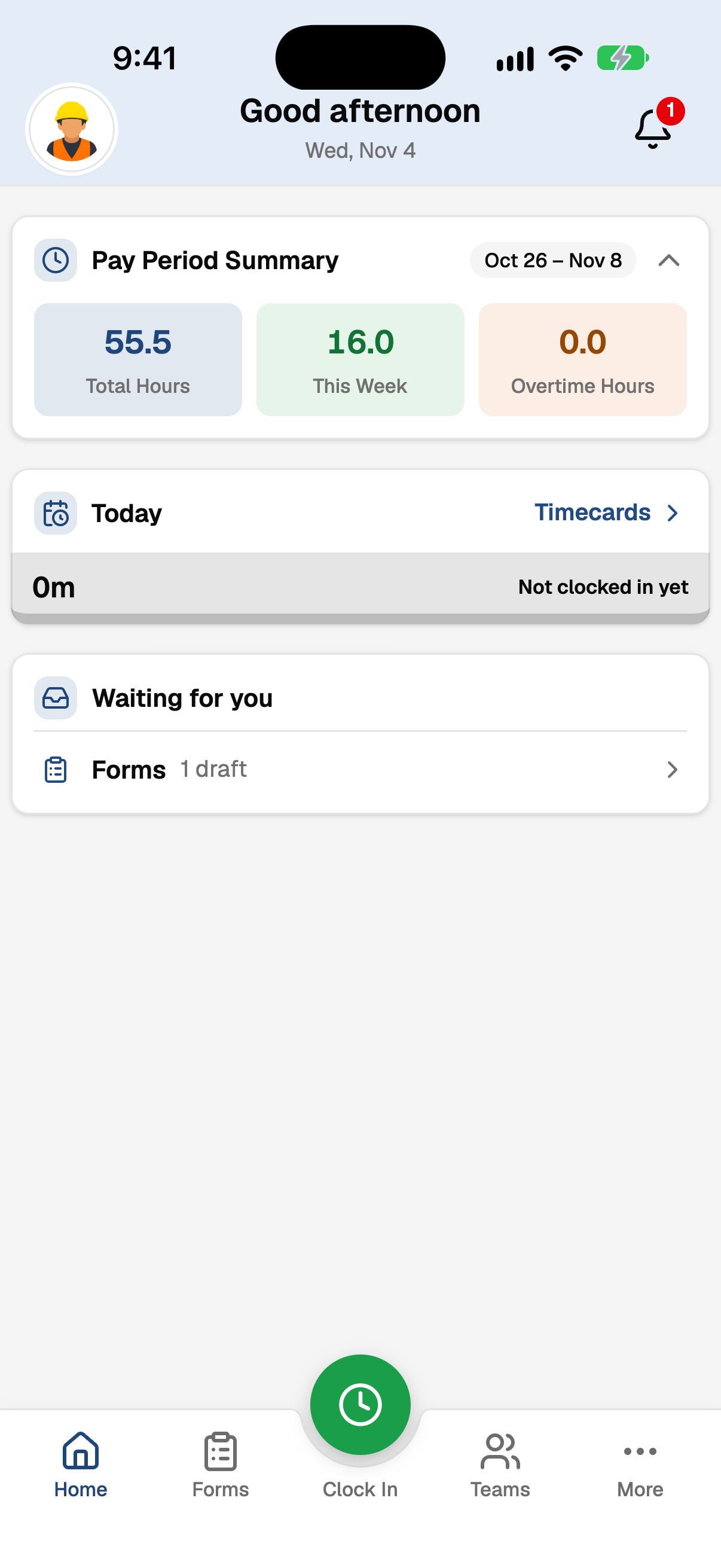
Shift Scan mobile app home screen showing the pay period summary and quick actions like Clock In, Forms, and Timecards
For Managers

Complete Control, Total Visibility

Manage your entire workforce from one powerful dashboard. Monitor active shifts, approve timesheets, and export payroll data.

Real-Time Team Visibility

See who's clocked in, where, and for how long when connected

Timesheet Approval

Review, approve, or reject timesheets with full audit trails

Team Coordination

Monitor crew rosters, active shifts, and attendance patterns

Payroll-Ready Export

Export timesheets and data to payroll systems instantly

dashboard.shift-scan.com
ACME Construction

Admin Dashboard

Needs Attention

156
Received
Type
Title
Message
Actions
Page 1 of 6
Built for the field

Coordinate your entire crew

View your team roster, monitor who's working and where, and coordinate across multiple job sites. Managers can track attendance patterns and approve timesheets.

CR

Carlos Reyes

General

Manager
2
DO

Denise Okafor

Trucking

Admin
1
MD

Marcus Delgado

Mechanic

User
1
PN

Priya Nair

General

User
1

Become Confident in Your Timecard Accuracy

Join field teams and construction companies that dramatically reduce timekeeping errors, simplify payroll, and streamline operations with Shift Scan.